
Feature Focus: PhilHealth Check Utility
How Soltech helps make recording the PhilHealth Check Utility easier
What is the PhilHealth Check Utility (PCU)?
The PhilHealth Check Utility (PCU) is PhilHealth's way of making sure the patient being examined is a real patient, by using a quick face scan (they call it a "liveness check") run on PhilHealth's PCU website. This is cross-checked against PhilSys and PhilHealth records, and if it matches, the person is verified.
What do YAKAP clinics need to do?
YAKAP clinics need to use the PCU for patients’ first patient encounter (FPE), and submit the valid PCU records to receive SAP 1 capitation payment. If PCU cannot verify a patient — (e.g. their PhilSys registration is not complete), you can also upload a copy of a valid government ID instead.
How does Soltech help you manage the PCUs?
Soltech includes PCU in its workflow to help you keep track of the PCU records, and makes compiling and submitting them easy! Here’s how it works:
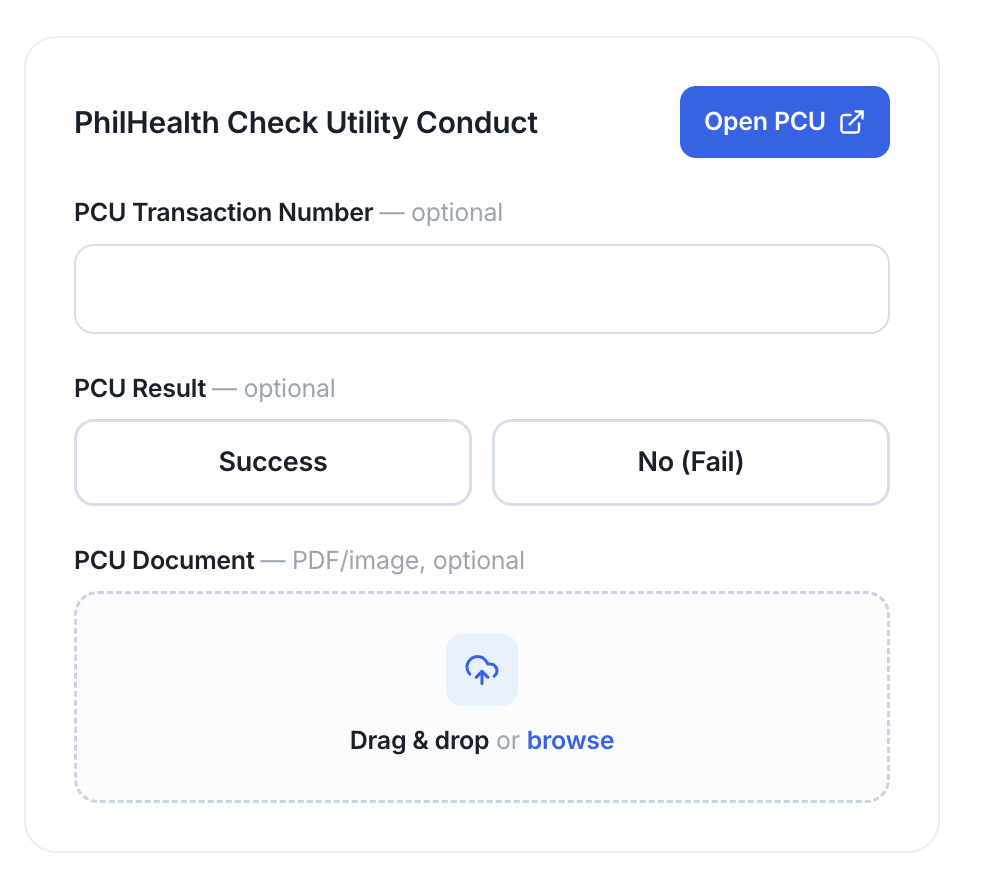
Step 1. During FPE or consultation, click Open PCU
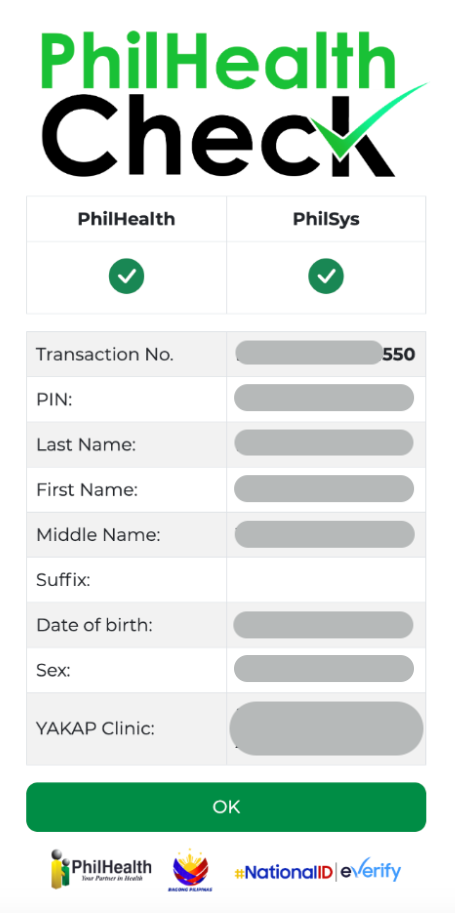
Step 2. Complete the PCU Liveness Check – and copy the Transaction Number
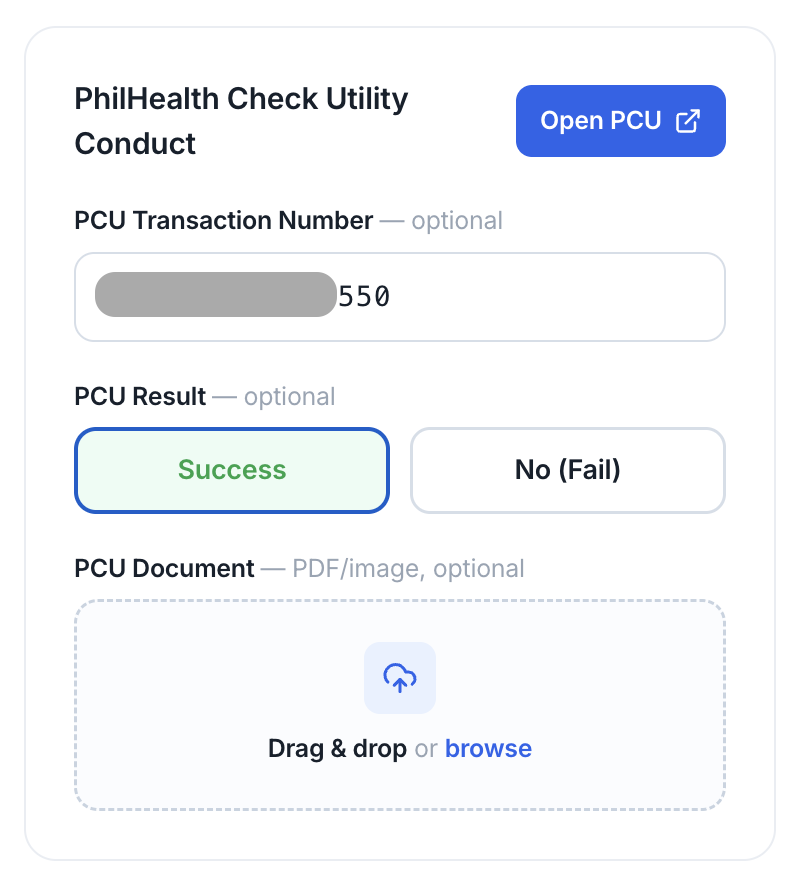
Step 3. Back on the Soltech page, copy the transaction number, and click success – good to go!
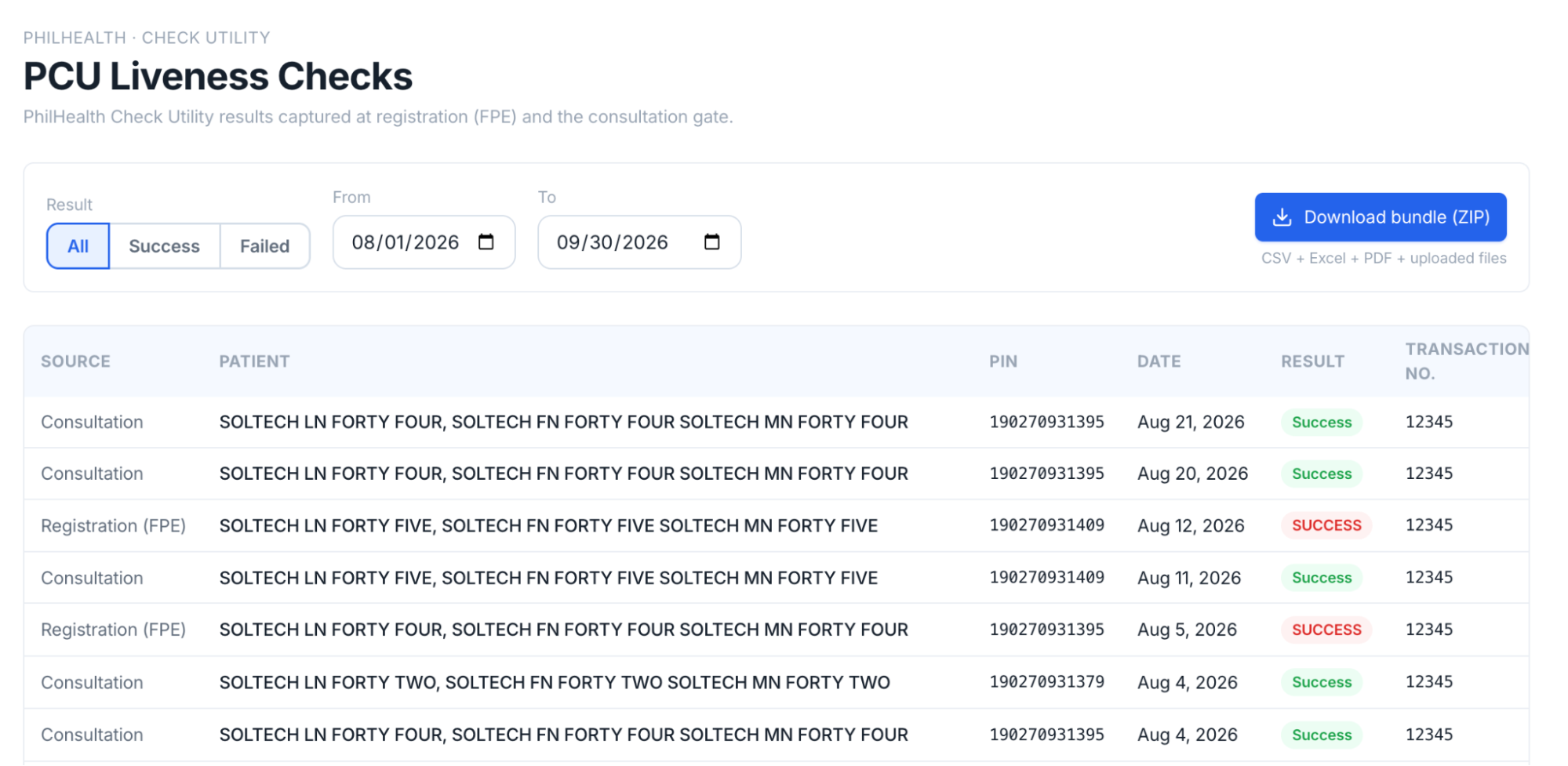
Step 4. At the end of the month, go to the PCU Checks tab and click Download bundle (ZIP), which will give you all the accomplished PCUs for submission in a ZIP file!
If you’re looking for an EMR that handles PCU in its workflow, email us at lorenzo@soltech.ph to see how Soltech can help your YAKAP clinic today!