
Feature Focus: Customized Encoding Forms
How Soltech customizes forms so your clinic doesn't have to change how it works
Learning new systems takes time, which can make the onboarding process take long. Moving to a new system includes retraining clinic doctors, nurses, admins, and encoders.
That’s why we at Soltech customize our web pages to match your forms, instead of you adapting to ours.
How Soltech adapts to your workflow
We take the forms that you already use, and create a version of it on our website – that only your facility/clinic can use. That way, your clinic admin and staff can start encoding previous and current patients right away with the existing workflow! Our goal is to minimize the retraining and adjustment time needed.
In our backend, we then handle the submission from your form to PhilHealth, so the system stays compliant.
Case Study: Rayray General Hospital
We recently did this for Rayray General Hospital, where we took their patient registration forms and made a custom form for it in Soltech. This was then used for the first patient encounter (FPE) submission. The benefit: clinic staff starts encoding right away, with little to no retraining needed
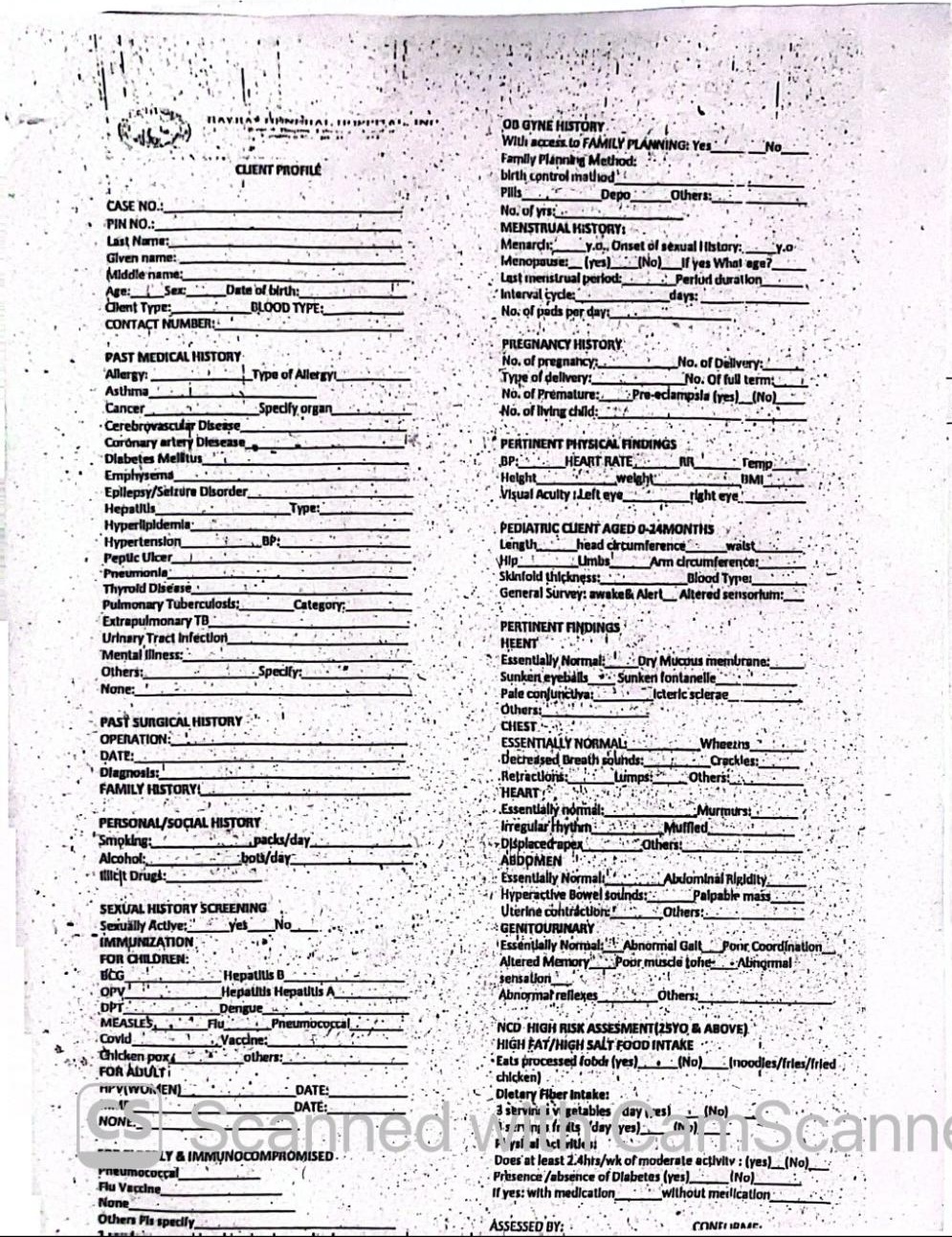
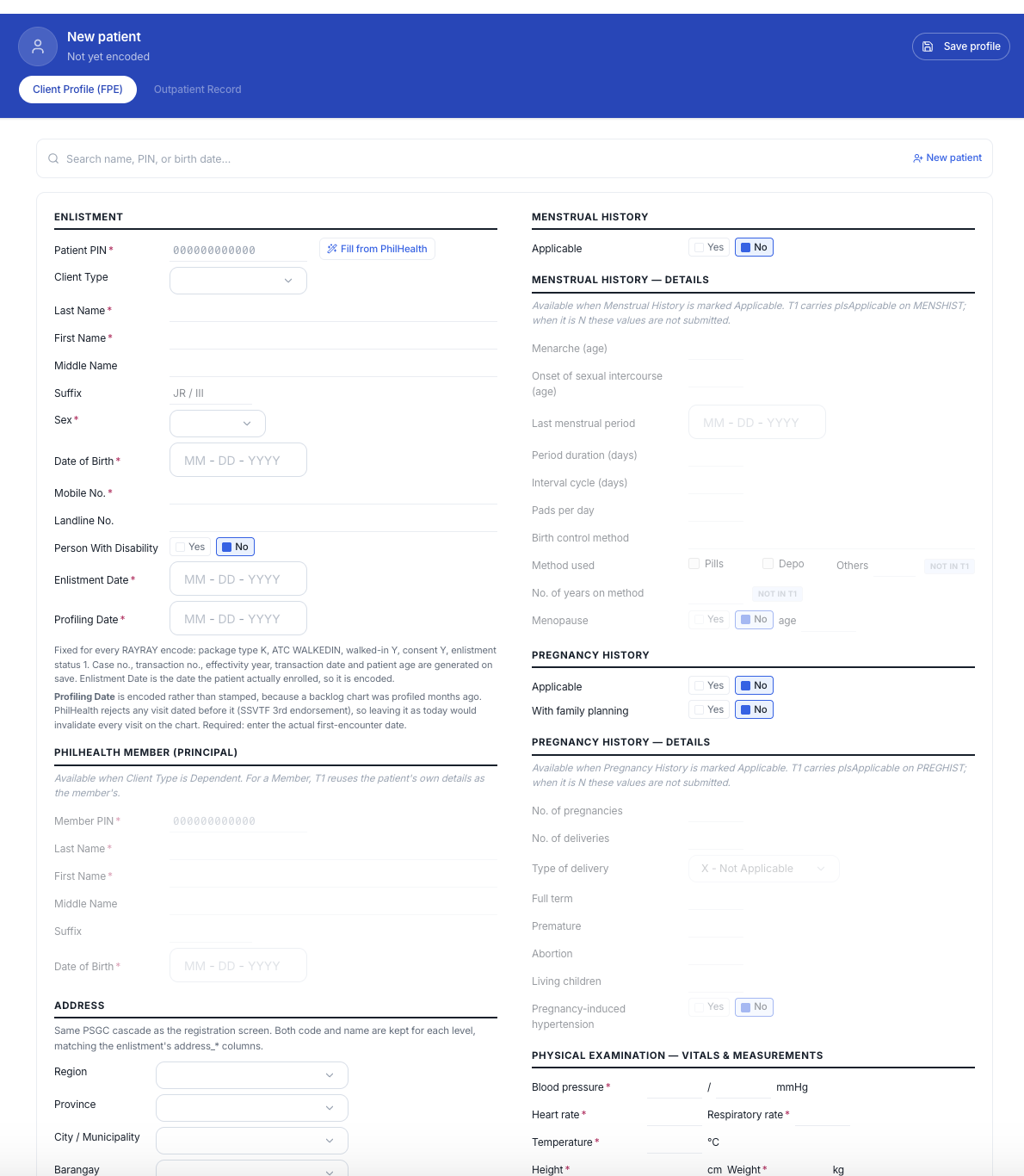
By adapting to your workflow, clinic staff have to relearn, and get started faster – focusing on actual patient care from day one. Email us at lorenzo@soltech.ph to see how Soltech can help your YAKAP clinic today!